ERP API integration: a checklist to avoid surprises
Master ERP API integrations with our comprehensive checklist. Avoid surprises and ensure seamless data flow for your agency or startup.
In today’s hyper-connected business landscape, the ability to seamlessly integrate your Enterprise Resource Planning (ERP) system with other critical applications is no longer a luxury – it’s a necessity. For product leaders, CTOs, and technology teams within agencies and startups, understanding and executing robust ERP API integrations is paramount to driving efficiency, unlocking data-driven insights, and maintaining a competitive edge.
However, the path to successful ERP integration is often paved with unforeseen challenges. From data mapping complexities to security vulnerabilities and scalability concerns, a poorly planned integration can lead to costly delays, operational disruptions, and a significant drain on resources. This article provides a comprehensive checklist designed to help you navigate the intricacies of ERP API integration, ensuring a smooth, secure, and scalable implementation that delivers tangible business value.
Understanding the Core of ERP API Integration
At its heart, ERP API integration leverages Application Programming Interfaces (APIs) to enable different software systems to communicate and exchange data. Your ERP system, the central hub for your business operations, holds a wealth of critical information – from financial records and inventory levels to customer data and project timelines. By integrating your ERP with other tools like CRM, marketing automation platforms, e-commerce solutions, or custom applications, you create a unified data ecosystem.
This unification allows for:
- Automated Workflows: Eliminating manual data entry and reducing human error.
- Real-time Data Visibility: Providing stakeholders with up-to-the-minute insights across all business functions.
- Enhanced Decision-Making: Enabling data-driven strategies based on a holistic view of operations.
- Improved Customer Experience: Facilitating personalized interactions and faster service delivery.
When discussing integraciones ERP API (which translates to ERP API integrations), the focus is on the technical mechanisms that allow these systems to talk to each other. These APIs act as digital messengers, defining the rules and protocols for data exchange.
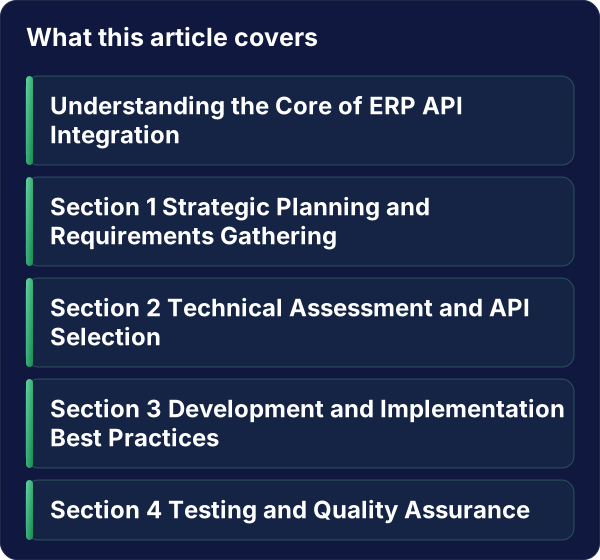
Section 1: Strategic Planning and Requirements Gathering
Before diving into the technical aspects of ERP API integration, a robust strategic plan and thorough requirements gathering are essential. Skipping this foundational step is a common pitfall that leads to scope creep and misaligned expectations.
H3: Defining Clear Objectives and KPIs
What do you aim to achieve with this integration? Vague goals lead to vague outcomes. Clearly define your objectives, aligning them with overarching business strategies. For example:
- Objective: Reduce order processing time by 20%.
- Objective: Improve inventory accuracy to 98%.
- Objective: Gain a 360-degree view of customer interactions.
Translate these objectives into measurable Key Performance Indicators (KPIs) that will be used to gauge the success of the integration. This could include:
- Order Cycle Time: Average time from order placement to fulfillment.
- Inventory Turnover Ratio: How many times inventory is sold and replaced over a period.
- Customer Lifetime Value (CLV): The total revenue a customer is expected to generate.
- Data Sync Latency: The time delay between data updates in source and target systems.
H3: Identifying Stakeholders and Their Needs
Successful integration requires buy-in and input from all relevant departments. Identify all stakeholders, including finance, sales, marketing, operations, and IT. Conduct workshops and interviews to understand their current pain points, desired improvements, and how they envision the integrated system working. This ensures that the integration addresses real-world needs and fosters user adoption.
H3: Mapping Data Flows and Dependencies
This is a critical step for any ERP API integration. Visualize how data will flow between your ERP and other systems. Document:
- Data Sources: Which system holds the original data?
- Data Destinations: Which system needs to receive the data?
- Data Transformation: Will data need to be reformatted, aggregated, or enriched during the transfer?
- Data Triggers: What events will initiate a data sync? (e.g., a new sale, an inventory update).
- Dependencies: Are there other integrations or processes that rely on this data flow?
A detailed data mapping document is your blueprint for development and a crucial reference point for troubleshooting.
Section 2: Technical Assessment and API Selection
The technical feasibility and choice of APIs are central to the success of your ERP API integration. A thorough technical assessment will prevent costly rework and ensure scalability.
H3: Evaluating ERP System Capabilities
Not all ERP systems offer the same level of API support. Assess your current ERP’s API capabilities:
- API Availability: Does your ERP have a well-documented, robust API?
- API Type: Is it RESTful, SOAP, or another standard? Understanding the API type will dictate the integration approach.
- API Documentation: Is the documentation clear, comprehensive, and up-to-date?
- API Limits and Throttling: Understand any restrictions on the number of requests or data volume.
- Authentication and Authorization: How does the API handle security?
If your ERP’s native API is limited, consider middleware solutions or custom development.
H3: Choosing the Right Integration Method
There are several common approaches to ERP API integration:
- Direct API Integration: Connecting systems directly using their respective APIs. This offers maximum control but can be complex to manage.
- Middleware/Integration Platform as a Service (iPaaS): Using a third-party platform (like Alken) that provides pre-built connectors and tools to simplify integration. This is often faster and more scalable for complex scenarios.
- Custom Development: Building bespoke integration solutions from scratch. This is the most flexible but also the most resource-intensive.
The choice depends on your budget, timeline, technical expertise, and the complexity of the integration.
H3: Data Synchronization Strategy
Decide on the frequency and method of data synchronization:
- Real-time Synchronization: Data is updated instantly across systems. Ideal for critical, time-sensitive data.
- Batch Synchronization: Data is synced at scheduled intervals (e.g., hourly, daily). Suitable for less time-sensitive data.
- Event-Driven Synchronization: Data is synced in response to specific events.
Consider the impact of each strategy on system performance and data consistency. For integraciones ERP API, real-time is often the goal for critical operational data.
Section 3: Development and Implementation Best Practices
With the strategy and technical foundations in place, it’s time to focus on the development and implementation phase. Adhering to best practices will ensure a robust and maintainable integration.
H3: Version Control and Documentation
Treat your integration code with the same rigor as your core product. Use version control systems (e.g., Git) to track changes, collaborate effectively, and enable rollbacks if necessary. Maintain comprehensive documentation for your integration, including:
- API endpoints used.
- Data mapping logic.
- Authentication details.
- Error handling procedures.
- Deployment instructions.
This documentation is invaluable for future maintenance, troubleshooting, and onboarding new team members.
H3: Robust Error Handling and Logging
No integration is perfect. Implement comprehensive error handling mechanisms to gracefully manage failures. This includes:
- Retry Logic: Automatically retrying failed operations after a delay.
- Dead-Letter Queues: Storing messages that cannot be processed for later analysis.
- Alerting: Notifying the relevant teams when critical errors occur.
Implement detailed logging to capture all integration activities, including successful transactions, errors, and warnings. This log data is crucial for debugging and auditing.
H3: Security Considerations
Security must be a top priority for any ERP API integration. Unauthorized access to your ERP data can have devastating consequences.
- Authentication and Authorization: Use secure authentication methods (e.g., OAuth 2.0, API keys) and ensure that only authorized users and systems can access specific data.
- Data Encryption: Encrypt data in transit (using HTTPS/TLS) and at rest.
- API Gateway: Consider using an API gateway to manage and secure API access.
- Regular Security Audits: Conduct periodic security assessments of your integration.
Section 4: Testing and Quality Assurance
Thorough testing is non-negotiable for any ERP API integration. A robust QA process will uncover issues before they impact your live operations.
H3: Unit and Integration Testing
- Unit Tests: Test individual components of your integration logic in isolation.
- Integration Tests: Verify that different parts of the integration work together as expected, simulating real-world data flows between systems.
H3: End-to-End (E2E) Testing
Simulate the entire user journey or business process that relies on the integration. This ensures that the data flows correctly from the initial trigger to the final outcome across all connected systems. For example, test a complete sales order process from CRM to ERP to fulfillment.
H3: Performance and Load Testing
Assess how your integration performs under expected and peak loads. This is crucial for ensuring that your ERP API integration can handle your business volume without degradation. Monitor response times, resource utilization, and identify any bottlenecks.
H3: User Acceptance Testing (UAT)
Involve end-users from the relevant departments to validate that the integration meets their requirements and functions as expected in their daily workflows. UAT is the final gate before go-live.
Section 5: Deployment, Monitoring, and Maintenance
The work doesn’t end at deployment. Continuous monitoring and proactive maintenance are key to long-term integration success.
H3: Staged Deployment
Deploy your integration in stages, starting with a pilot group or a staging environment, before a full production rollout. This allows you to identify and resolve any unforeseen issues in a controlled manner.
H3: Continuous Monitoring and Alerting
Implement robust monitoring tools to track the health and performance of your ERP API integration in real-time. Key metrics to monitor include:
- API response times.
- Error rates.
- Data throughput.
- System uptime.
Set up automated alerts for critical issues to enable rapid response.
H3: Regular Maintenance and Updates
APIs evolve, and so do your business needs. Schedule regular maintenance to:
- Update API connectors as new versions are released.
- Refactor code for efficiency and scalability.
- Address any performance degradations.
- Adapt the integration to new business requirements.
Proactive maintenance can prevent minor issues from escalating into major disruptions.
The ERP API Integration Checklist
To summarize, here’s a comprehensive checklist to guide your ERP API integration efforts:
- Strategic Planning:
- Clearly defined business objectives.
- Measurable KPIs established.
- All key stakeholders identified and consulted.
- Detailed data flow diagrams created.
- Dependencies mapped out.
- Technical Assessment:
- ERP API capabilities thoroughly evaluated.
- Appropriate integration method selected (Direct, iPaaS, Custom).
- Data synchronization strategy defined (Real-time, Batch, Event-driven).
- Development & Implementation:
- Version control implemented for all integration code.
- Comprehensive technical documentation created.
- Robust error handling and logging mechanisms in place.
- Security protocols (authentication, encryption) implemented.
- Testing & QA:
- Unit tests written and executed.
- Integration tests performed.
- End-to-end (E2E) testing completed.
- Performance and load testing conducted.
- User Acceptance Testing (UAT) signed off.
- Deployment & Maintenance:
- Staged deployment plan executed.
- Continuous monitoring tools implemented.
- Automated alerting configured.
- Regular maintenance schedule established.
- Plan for handling API version changes.
Conclusion: Unlocking Business Value with Seamless ERP API Integrations
Mastering ERP API integration is a strategic imperative for agencies and startups looking to optimize operations, enhance data utilization, and drive growth. By following a structured approach, from meticulous planning and technical assessment to rigorous testing and ongoing maintenance, you can mitigate risks and ensure that your integrations deliver maximum ROI.
Need to connect your ERP with external APIs or internal systems? Alken designs and implements API integrations with resilient architecture, observability and error handling from day one.
Reach out at info@alken.dev to discuss your case.