Technical ecommerce audit: a practical guide to find bottlenecks
Unlock your ecommerce potential with a comprehensive technical audit. Discover bottlenecks and optimize performance for growth.

In the fast-paced world of online retail, your ecommerce platform is the engine driving revenue. But what happens when that engine sputters? Slow load times, broken links, checkout errors – these aren’t just minor annoyances; they are significant revenue leaks and major deterrents to customer loyalty. For product leaders, CTOs, and technology teams in English-speaking markets, understanding and proactively addressing these issues is paramount. This is where a thorough technical ecommerce audit becomes an indispensable tool.
A technical ecommerce audit is a deep dive into the underlying infrastructure and code of your online store. It’s about meticulously examining every technical aspect to identify inefficiencies, vulnerabilities, and areas for improvement that directly impact user experience, conversion rates, and ultimately, your bottom line. Think of it as a comprehensive health check for your digital storefront, ensuring it’s robust, scalable, and optimized for peak performance.
Why a Technical Ecommerce Audit is Crucial for Growth
Ignoring the technical health of your ecommerce site is akin to neglecting the foundation of a skyscraper. Eventually, cracks will appear, leading to costly repairs and potentially catastrophic failure. In the digital realm, this translates to lost sales, damaged brand reputation, and a competitive disadvantage.
Here’s why a regular technical ecommerce audit is non-negotiable for any serious online business:
- Enhanced User Experience (UX): A fast, seamless, and error-free website is the bedrock of good UX. Technical issues directly translate to user frustration, leading to high bounce rates and abandoned carts.
- Improved Conversion Rates: Every second of loading time, every broken link, every glitch in the checkout process is a potential point of customer attrition. Optimizing these technical elements directly boosts your conversion rates.
- Increased Search Engine Visibility (SEO): Search engines like Google prioritize websites that offer a superior user experience, which is heavily influenced by technical factors such as site speed, mobile-friendliness, and crawlability. A well-executed technical ecommerce audit can significantly improve your SEO performance.
- Reduced Operational Costs: Proactive identification and resolution of technical debt can prevent costly emergency fixes, downtime, and the need for extensive rework later on.
- Scalability and Future-Proofing: As your business grows, your platform needs to keep pace. An audit can reveal limitations in your current infrastructure that could hinder future expansion.
- Security Enhancements: Technical audits often uncover security vulnerabilities that could expose your business and customer data to risks.
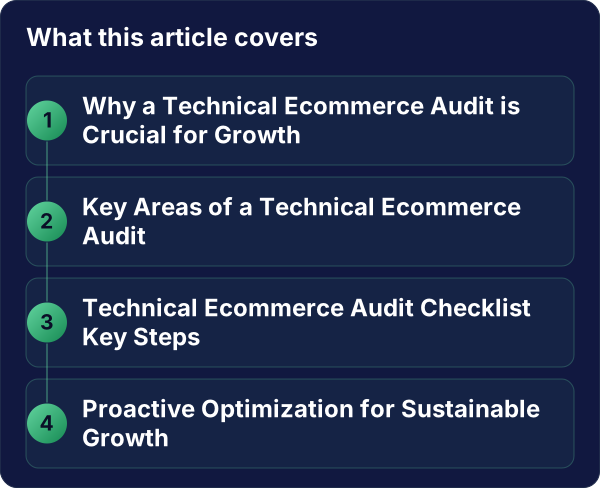
Key Areas of a Technical Ecommerce Audit
A comprehensive technical ecommerce audit typically covers several critical domains. Each area, when examined systematically, provides valuable insights into your platform’s performance and potential pitfalls.
1. Website Performance and Speed Optimization
Website speed is no longer a luxury; it’s a fundamental expectation. Studies consistently show that even a one-second delay in page load time can lead to a significant drop in conversions.
- Page Load Times:
- Metrics to Track: Time to First Byte (TTFB), First Contentful Paint (FCP), Largest Contentful Paint (LCP), Cumulative Layout Shift (CLS), Total Blocking Time (TBT).
- Common Bottlenecks: Unoptimized images, large JavaScript files, inefficient server response times, excessive HTTP requests, render-blocking resources.
- Tools: Google PageSpeed Insights, GTmetrix, WebPageTest.
- Mobile Performance: With the majority of ecommerce traffic coming from mobile devices, ensuring a fast and responsive mobile experience is paramount. This includes optimizing for mobile-specific network conditions and device capabilities.
- Server Response Time: This measures how quickly your server responds to a browser’s request. Slow response times can indicate issues with hosting, database queries, or backend code.
2. Technical SEO and Indexability
For customers to find you, search engines need to be able to crawl, understand, and index your site effectively. Technical SEO forms the backbone of your organic search visibility.
- Crawlability and Indexability:
- Robots.txt and Meta Robots Tags: Ensuring search engines can access the content you want them to index and are blocked from areas that shouldn’t be public.
- XML Sitemaps: Providing search engines with a clear roadmap of your site’s important pages.
- Broken Links (404 Errors): These frustrate users and search engines alike, wasting crawl budget and negatively impacting user experience.
- Redirect Chains and Loops: Inefficient redirects can slow down browsing and confuse search engines.
- Structured Data (Schema Markup): Implementing schema markup helps search engines better understand your product information, reviews, pricing, and availability, leading to rich snippets in search results.
- URL Structure: Clean, logical, and keyword-rich URLs improve user understanding and SEO.
- Canonicalization: Properly managing canonical tags prevents duplicate content issues that can dilute SEO authority.
3. Core Web Vitals and User Experience Signals
Google’s Core Web Vitals (CWV) are a set of metrics that measure real-world user experience for loading performance, interactivity, and visual stability. They are a direct ranking factor.
- Largest Contentful Paint (LCP): Measures loading performance. The largest content element (e.g., hero image, product image) should load within 2.5 seconds.
- First Input Delay (FID) / Interaction to Next Paint (INP): Measures interactivity. FID (soon to be replaced by INP) measures the time from when a user first interacts with a page (e.g., clicks a link, taps a button) to the time when the browser is actually able to begin processing event handlers in response to that interaction. INP measures the latency of all interactions a user has with a page. Aim for INP under 200 milliseconds.
- Cumulative Layout Shift (CLS): Measures visual stability. Unexpected shifts in page content can lead to users accidentally clicking the wrong element. Aim for a CLS score below 0.1.
4. Site Architecture and Navigation
A well-organized site architecture makes it easy for both users and search engines to navigate and find what they’re looking for.
- Internal Linking Structure: Strategic internal linking helps distribute link equity across your site and guides users to relevant content.
- Breadcrumbs: Essential for user navigation, especially on larger ecommerce sites, helping users understand their current location within the site hierarchy.
- Category and Product Page Structure: Ensuring logical categorization and clear product page layouts are crucial for both UX and SEO.
- Mobile Navigation: Intuitive and easily accessible navigation on mobile devices is critical for conversion.
5. Security and Compliance
In the age of data breaches, robust security is paramount. A technical audit should identify and address any potential vulnerabilities.
- HTTPS Implementation: Ensuring all pages are served over HTTPS to protect user data.
- Payment Gateway Security: Verifying that payment processing is secure and compliant with relevant standards (e.g., PCI DSS).
- Data Privacy: Ensuring compliance with regulations like GDPR and CCPA, particularly concerning customer data collection and storage.
- Vulnerability Scanning: Identifying potential weaknesses in your platform that could be exploited by attackers.
Technical Ecommerce Audit Checklist: Key Steps
To ensure a comprehensive technical ecommerce audit, follow these essential steps:
Pre-Audit Preparation
- Define Objectives: What are your primary goals for this audit? (e.g., improve conversion rates, boost SEO, reduce downtime).
- Gather Access: Ensure you have access to analytics platforms (Google Analytics, Adobe Analytics), search console (Google Search Console, Bing Webmaster Tools), server logs, and backend systems.
- Benchmark Current Performance: Document key metrics before the audit begins to measure improvement.
Execution Phase
- Performance & Speed Analysis:
- Run speed tests on key pages (homepage, category pages, product pages, checkout).
- Analyze image optimization, JavaScript/CSS delivery, and server response times.
- Identify and prioritize performance bottlenecks.
- Technical SEO Audit:
- Crawl the entire site to identify broken links, redirect issues, and crawl errors.
- Review robots.txt and sitemaps for accuracy and completeness.
- Check for duplicate content issues and ensure proper canonicalization.
- Verify structured data implementation.
- Assess URL structure and internal linking.
- Core Web Vitals Assessment:
- Utilize Google Search Console’s Core Web Vitals report.
- Perform detailed lab and field data analysis using tools like PageSpeed Insights and Lighthouse.
- Identify specific elements contributing to poor CWV scores.
- Site Architecture & Navigation Review:
- Map out the internal linking structure.
- Evaluate the usability of navigation menus and breadcrumbs on both desktop and mobile.
- Assess the logical flow of product categorization.
- Security & Compliance Check:
- Verify HTTPS implementation across the entire site.
- Review security headers and SSL certificate status.
- Conduct basic vulnerability scans.
- Assess compliance with relevant data privacy regulations.
- Mobile-Friendliness Test:
- Use Google’s Mobile-Friendly Test and analyze mobile UX through speed tests.
- Ensure responsive design is functioning correctly.
Post-Audit Actions
- Prioritize Findings: Categorize issues by severity and potential impact on business goals.
- Develop Action Plan: Create a clear roadmap for implementing fixes, assigning responsibilities, and setting timelines.
- Implement Changes: Execute the action plan systematically.
- Monitor and Re-audit: Continuously monitor key metrics and schedule regular audits to maintain optimal performance.
Conclusion: Proactive Optimization for Sustainable Growth
A technical ecommerce audit is not a one-time event but an ongoing process that fuels continuous improvement. By systematically examining your platform’s technical foundation, you can uncover hidden bottlenecks that are silently eroding your revenue and hindering your growth. Addressing these issues leads to a superior user experience, improved search engine rankings, higher conversion rates, and a more secure, scalable, and resilient ecommerce operation.
For product leaders, CTOs, and technology teams committed to maximizing their online store’s potential, investing in a professional technical ecommerce audit is a strategic imperative. It’s about ensuring your digital storefront is not just functional, but a high-performing asset driving tangible business results.
Ready to uncover the hidden potential of your ecommerce platform? Let us help you identify and resolve the technical challenges holding you back.
Contact us today for an initial audit assessment at info@alken.dev.