Migrating from WordPress to Astro: a practical guide for engineering teams
How to migrate a WordPress site to Astro. Incremental migration strategy, SEO preservation and key criteria to decide if the switch is worth it.
Migrating from WordPress to Astro: a practical guide for engineering teams
WordPress powers more than 40% of the web, but many engineering teams eventually face the same decision: the site has grown, performance is mediocre, plugin maintenance is a constant source of friction, and load times are starting to affect SEO and conversions.
Astro is a serious alternative for content-driven sites — corporate websites, technical blogs, product landing pages — where performance matters and content does not change in real time. This guide explains how to evaluate the switch and how to execute the migration without losing rankings.
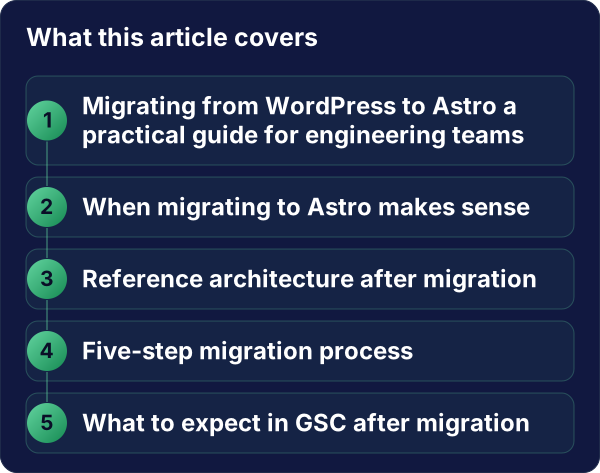
When migrating to Astro makes sense
Astro is not the right answer for everything. Before deciding, consider the following.
Migrating to Astro makes sense if:
- The site is primarily static or semi-static content (marketing, blog, documentation, portfolio)
- Web performance is a measurable priority: LCP < 2.5 s, Lighthouse 90+, Core Web Vitals in the green
- The team wants to manage content as code or via a headless CMS (Contentful, Sanity, Notion)
- The plugin and theme debt in WordPress has become costly to maintain
Do not migrate to Astro if:
- The site relies on WooCommerce with complex cart logic
- Non-technical editors manage content directly in the WordPress editor and are not willing to change workflows
- The project requires default dynamic server-side logic (sessions, real-time personalisation)
Reference architecture after migration
A typical WordPress-to-Astro migration ends up with this structure:
src/
  content/
    blog/       ← posts in Markdown/MDX
    pages/      ← static pages
  components/   ← reusable UI
  layouts/      ← page templates
  pages/        ← file-based routing
public/         ← static assets
Content can live in Markdown files inside the repository, or be pulled from a headless CMS. The second option is better when the content team does not have repository access.
Five-step migration process
1. Inventory and prioritisation
Before writing any code, map the entire site:
- How many unique pages exist?
- How many active blog posts with real organic traffic?
- Which plugins provide actual functionality vs cosmetic fixes?
- Which pages generate 90% of organic traffic?
Tools: Screaming Frog or a GSC export filtered by impressions.
2. Preserve technical SEO from day one
The biggest risk in any migration is losing rankings. The core rules:
- Keep all URLs that have traffic or backlinks. If URL structure changes, implement permanent 301 redirects.
- Preserve metadata: title, description, canonical, hreflang for multilingual sites.
- Recreate the sitemap with the same URLs or updated if the structure improves.
- Migrate exact content of high-traffic pages before going live — do not rewrite while migrating.
3. Incremental migration, not a big bang
A big-bang migration (switching everything in a single deployment) is the riskiest approach. An incremental strategy is safer:
- Migrate low-traffic pages first (privacy policy, legal, contact)
- Migrate service/product pages with moderate traffic
- Migrate blog posts from highest to lowest traffic
- Leave the homepage for last — it receives the most backlinks and is the most visible page
WordPress stays in production throughout. When a migrated route passes smoke tests, it is deployed and a 301 is added on the old server.
4. Configure performance correctly
Astro offers excellent performance by default, but a few things must be configured:
// astro.config.mjs
export default defineConfig({
  output: 'static',
  integrations: [
    sitemap(),
    mdx(),
  ],
  image: {
    service: sharpImageService(),
  },
});
Critical performance checklist:
- Images use
loading="lazy"except the above-the-fold LCP candidate, which getsloading="eager" - Fonts use
font-display: swaporoptional - Critical CSS inlined in
<head>, rest deferred - No unnecessary JavaScript — Astro ships 0 KB of JS by default unless you opt in explicitly
5. Pre-launch validation
Checklist before going live:
- Lighthouse Performance ≥ 90 on mobile
- All high-traffic URLs return 200 or have a correct 301
- Sitemap generated and accessible
- Meta tags (title, description, og:image) on every page
- Contact forms working
- Google Analytics / Tag Manager configured
- Search Console updated with the new sitemap
What to expect in GSC after migration
If the migration is well-executed, Google re-crawls the migrated URLs within 2–4 weeks. A temporary drop in impressions while the index updates is normal. If URLs were preserved and 301 redirects are correctly implemented, traffic recovers within 4–8 weeks.
What is not normal: permanent position drops on the same URLs. If that happens, check whether content was altered, whether canonicals are correct, or whether there is an indexation issue.
Conclusion
Migrating from WordPress to Astro is a technical investment that pays off for content-driven sites with clear performance and maintainability goals. The key is to do it incrementally, preserve SEO from day one, and validate before making each change public.
For more complex sites or those with non-technical editors managing content, a headless CMS connected to Astro can be the ideal middle ground.
Evaluating whether migration makes sense for your project? Alken’s web development work includes migrations from WordPress, legacy PHP and jQuery to modern stacks — the process always starts with a technical audit of the current site.