Zero-downtime database migration: step-by-step strategy
Master zero-downtime database migration with our step-by-step strategy. Essential for B2B software leaders, CTOs, and tech teams.
In the fast-paced world of B2B software, continuous availability is not a luxury; it’s a fundamental requirement. For product leaders, CTOs, and technology teams, the prospect of a database migration often conjures images of dreaded downtime, lost revenue, and frustrated users. However, a meticulously planned and executed zero-downtime database migration is not only achievable but essential for maintaining competitive edge and customer trust. This comprehensive guide outlines a robust, step-by-step strategy to navigate this complex process, ensuring your business operations remain uninterrupted.
The Imperative of Seamless Database Migrations
Downtime, even for a few minutes, can have significant repercussions. For SaaS platforms and B2B applications, it translates directly to:
- Lost Revenue: Customers unable to access your service means lost transaction opportunities.
- Damaged Reputation: Unreliability erodes trust, making it harder to acquire and retain clients.
- Decreased Productivity: Internal teams relying on the database for their work will experience slowdowns or complete halts.
- Increased Operational Costs: Reacting to and recovering from downtime incurs unexpected expenses.
The goal of a database migration without downtime is to transition your data and application infrastructure from an old system to a new one with zero perceptible interruption to end-users or internal operations. This requires a strategic approach that prioritizes planning, testing, and phased execution.
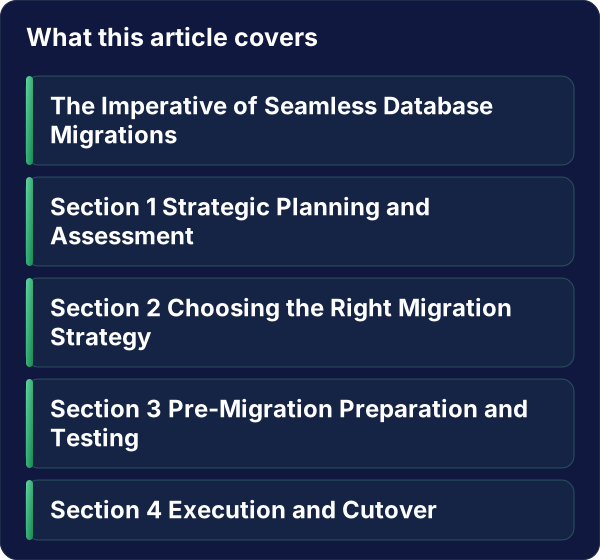
Section 1: Strategic Planning and Assessment
Before a single line of code is touched or a data packet is moved, comprehensive planning is paramount. This phase sets the foundation for a successful migración base de datos sin downtime (zero-downtime database migration).
H2: Understanding Your Current Landscape
The first step is a thorough audit of your existing database environment. This includes:
- Database Type and Version: Identify the source and target database systems (e.g., PostgreSQL to MySQL, Oracle to SQL Server, on-premise to cloud).
- Data Volume and Complexity: Assess the total amount of data, the number of tables, relationships, and any complex stored procedures or triggers.
- Application Dependencies: Map out all applications, services, and integrations that interact with the database. Understanding these dependencies is critical for a smooth transition.
- Performance Metrics: Document current read/write speeds, query latency, and resource utilization (CPU, memory, disk I/O). This baseline is crucial for validating the performance of the new system.
- Downtime Tolerance: While the goal is zero downtime, understanding the absolute maximum acceptable downtime (even if it’s minutes) can inform fallback strategies.
H2: Defining Migration Goals and Scope
Clearly articulate what you aim to achieve with the migration:
- Target Database Technology: Are you moving to a newer version, a different vendor, or a cloud-managed service?
- Performance Improvements: Do you expect faster queries, better scalability, or reduced operational overhead?
- Cost Optimization: Is cost reduction a primary driver for the migration?
- Feature Enhancements: Will the new database enable new application features?
Defining the scope ensures that the migration project remains focused and manageable.
Section 2: Choosing the Right Migration Strategy
Several methodologies can facilitate a database migration without downtime. The choice depends on your specific requirements, data volume, and acceptable risk.
H2: The Blue-Green Deployment Approach
This popular strategy involves running two identical production environments: “Blue” (the current production) and “Green” (the new production environment).
- Setup Green: Provision and configure the new database environment (Green).
- Data Synchronization: Replicate data from Blue to Green. This can be done using various methods like logical replication, snapshotting, or specialized migration tools.
- Testing Green: Thoroughly test the Green environment with a subset of live traffic or synthetic loads.
- Traffic Shifting: Once confident, gradually shift traffic from Blue to Green. This can be done at the load balancer level, DNS level, or application configuration level.
- Monitoring: Closely monitor the Green environment for performance and errors.
- Rollback: If issues arise, traffic can be instantly switched back to the Blue environment.
Key Benefit: Provides an immediate rollback path and allows for extensive testing before full commitment.
H2: The Dual Write Strategy
This method involves writing data to both the old and new databases simultaneously during the migration period.
- Initial Data Load: Perform an initial bulk load of data to the new database.
- Enable Dual Writes: Modify your application to write all new data to both the old and new databases.
- Data Reconciliation: Implement a process to ensure data consistency between the two databases. This is crucial and often the most complex part.
- Application Cutover: Once data is reconciled and the new database is validated, switch application reads to the new database.
- Decommission Old Database: After a period of monitoring, the old database can be decommissioned.
Key Benefit: Minimizes the risk of data loss during the transition by keeping both systems in sync.
H2: Incremental Migration with Change Data Capture (CDC)
This is often the most practical approach for large, complex databases.
- Initial Snapshot: Take a full snapshot of the source database.
- Load Snapshot: Load this snapshot into the target database.
- Enable CDC: Set up Change Data Capture (CDC) on the source database to track all subsequent changes (inserts, updates, deletes).
- Apply Changes: Continuously apply these captured changes to the target database. This keeps the target database in near real-time synchronization with the source.
- Validation: Periodically validate data consistency between source and target.
- Cutover: When ready, briefly pause writes to the source, ensure all pending changes are applied to the target, and then switch application reads and writes to the target.
Key Benefit: Minimizes the synchronization window and allows for extensive testing of the new environment before the final cutover.
Section 3: Pre-Migration Preparation and Testing
Thorough preparation and rigorous testing are non-negotiable for a migración base de datos sin downtime.
H2: Setting Up the Target Environment
- Infrastructure Provisioning: Ensure the new infrastructure (servers, storage, networking) meets or exceeds the requirements of the target database and anticipated load.
- Database Installation and Configuration: Install and configure the target database software, optimizing settings for performance and security.
- Schema Design and Optimization: Translate or recreate the database schema in the new environment. Optimize it for the new database’s capabilities.
H2: Data Replication and Synchronization Tools
- Choose Your Tools: Select appropriate tools for data replication. Options include:
- Native Database Replication: Built-in features of your database system.
- Third-Party Migration Tools: Solutions like AWS DMS, Azure DMS, Google Cloud DMS, or commercial tools like Fivetran, Striim, or Qlik Replicate.
- Custom Scripts: For highly specific scenarios, though generally less recommended due to complexity and maintenance.
- Configure Replication: Set up and test the chosen replication mechanism to ensure it can handle your data volume and achieve the desired synchronization speed.
H2: Rigorous Testing Scenarios
Testing is where you build confidence.
- Data Integrity Tests: Verify that all data has been accurately migrated and that no data corruption has occurred. Use checksums, row counts, and sampling.
- Performance Benchmarking: Run load tests against the new database to ensure it meets or exceeds the performance of the old system. Measure query response times, throughput, and resource utilization.
- Application Functionality Tests: Test all critical application features against the new database. This includes CRUD operations, complex queries, and user workflows.
- Failover and Rollback Testing: Simulate failure scenarios to test the effectiveness of your rollback plan and ensure you can revert to the old system if necessary.
Section 4: Execution and Cutover
This is the critical phase where the actual transition occurs.
H2: The Cutover Process
The cutover is the moment of truth. For a zero-downtime database migration, this is typically a brief, carefully orchestrated event.
- Pre-Cutover Checks: Perform final checks on data synchronization, application health, and infrastructure readiness.
- Minimize Write Activity (Optional but Recommended): If possible, briefly pause or significantly reduce write operations to the source database just before the cutover. This minimizes the window for data divergence.
- Switch Reads: Redirect application read traffic to the new database. This is often done at the load balancer or DNS level.
- Switch Writes: Once read traffic is stable on the new database, redirect write traffic as well.
- Monitor Intensely: Closely monitor application logs, database performance metrics, and user feedback for any anomalies.
H2: The Rollback Plan: Your Safety Net
A well-defined rollback plan is essential. It should be tested and readily accessible.
- Trigger Conditions: Clearly define the conditions under which a rollback will be initiated (e.g., critical application errors, performance degradation exceeding X%, data integrity issues).
- Rollback Procedure: Document the exact steps to revert traffic and operations back to the old database. This might involve:
- Redirecting traffic back to the original load balancer/DNS.
- Re-enabling writes on the old database.
- Ensuring data consistency if any writes occurred on the new database before rollback.
- Communication: Establish a clear communication plan for stakeholders during a rollback.
Section 5: Post-Migration Optimization and Monitoring
The migration isn’t complete until the new system is stable and optimized.
H2: Performance Tuning and Optimization
- Database Tuning: Based on real-world usage, fine-tune database parameters, indexing strategies, and query execution plans for optimal performance.
- Application Optimization: Review application code for any inefficiencies that may have been masked by the old database’s performance characteristics.
- Resource Scaling: Adjust server resources (CPU, memory, storage) based on observed load patterns.
H2: Ongoing Monitoring and Alerting
- Establish Baselines: Continuously monitor key performance indicators (KPIs) such as query latency, error rates, throughput, and resource utilization.
- Set Up Alerts: Configure alerts for any deviations from established baselines or critical error thresholds. This proactive approach helps catch issues before they impact users.
- Regular Audits: Schedule regular audits of database performance, security, and data integrity.
Checklist for a Zero-Downtime Database Migration
Here’s a concise checklist to guide your migración base de datos sin downtime:
- Planning & Assessment:
- Document current database environment (type, version, data volume, dependencies).
- Define clear migration goals and scope.
- Assess application dependencies and impact.
- Establish performance baselines for the current system.
- Strategy Selection:
- Evaluate Blue-Green, Dual Write, and CDC strategies.
- Select the most suitable strategy based on requirements.
- Preparation & Setup:
- Provision and configure the target database environment.
- Design and optimize the target schema.
- Select and configure data replication tools.
- Set up Change Data Capture (CDC) if applicable.
- Testing & Validation:
- Perform initial data load and synchronization.
- Conduct thorough data integrity checks.
- Execute performance and load testing.
- Test all critical application functionalities.
- Crucially: Test the rollback plan.
- Execution & Cutover:
- Perform pre-cutover checks.
- Minimize write activity (if feasible).
- Execute the traffic switch (reads first, then writes).
- Monitor the new environment intensely.
- Rollback Readiness:
- Have a documented and tested rollback plan.
- Define clear rollback trigger conditions.
- Post-Migration:
- Monitor performance and resource utilization.
- Tune database and application for optimal performance.
- Establish ongoing monitoring and alerting systems.
- Conduct post-migration audits.
Conclusion
A migración base de datos sin downtime is a complex undertaking, but with meticulous planning, the right strategy, and rigorous execution, it is an achievable goal. By adopting a phased approach, leveraging appropriate tools, and prioritizing comprehensive testing, B2B agencies and startups can successfully transition their critical data infrastructure without disrupting business operations or alienating customers. The benefits of enhanced performance, scalability, and reliability far outweigh the challenges.
At Alken, we specialize in guiding technology teams through these critical transformations. Our expertise in B2B software and database management ensures your migration is not just successful, but also strategically aligned with your business objectives.
Ready to achieve a seamless database migration? Contact us today to discuss your project and explore how Alken can help you achieve zero downtime.
Reach out to us at info@alken.dev.