React performance optimization: techniques to improve Core Web Vitals
Unlock superior React performance with expert techniques to boost Core Web Vitals. Essential for B2B SaaS product leaders and CTOs.

In today’s competitive digital landscape, user experience is paramount. For B2B SaaS companies and agile startups, a sluggish frontend isn’t just an inconvenience; it’s a direct threat to conversion rates, customer retention, and ultimately, revenue. React, a powerful JavaScript library for building user interfaces, is a popular choice for its flexibility and component-based architecture. However, without careful attention, React applications can suffer from performance bottlenecks. This is where React performance optimization becomes critical.
Optimizing your React application’s performance directly impacts your Core Web Vitals (CWV) – a set of metrics Google uses to measure user experience. Improving these metrics can lead to higher search engine rankings, increased organic traffic, and a more engaged user base. This article delves into actionable strategies and best practices for optimizing React performance, ensuring your application delivers a seamless and responsive experience.
Understanding Core Web Vitals and Their Impact
Before diving into optimization techniques, it’s crucial to understand what Core Web Vitals are and why they matter. Google introduced CWV as part of its Page Experience signals, aiming to standardize metrics that reflect real-world user experience. The three primary CWV metrics are:
- Largest Contentful Paint (LCP): Measures loading performance. It marks the point in the page load timeline when the largest content element (image, block of text, etc.) becomes visible within the viewport. A good LCP is considered to be 2.5 seconds or less.
- Interaction to Next Paint (INP): Measures interactivity. It quantifies the latency of all user interactions with the page. A good INP is 200 milliseconds or less. (This metric is replacing First Input Delay (FID) in March 2024).
- Cumulative Layout Shift (CLS): Measures visual stability. It quantifies how often users experience unexpected layout shifts. A good CLS is 0.1 or less.
Poor CWV scores can lead to:
- Decreased User Engagement: Slow-loading pages frustrate users, leading to higher bounce rates.
- Lower Conversion Rates: Users are less likely to complete desired actions, such as signing up or making a purchase, on a slow or unstable site.
- Reduced Search Engine Rankings: Google prioritizes pages with good user experience, meaning poor CWV can negatively impact your SEO.
For product leaders and CTOs, investing in React performance optimization is not just a technical task; it’s a strategic imperative for business growth.
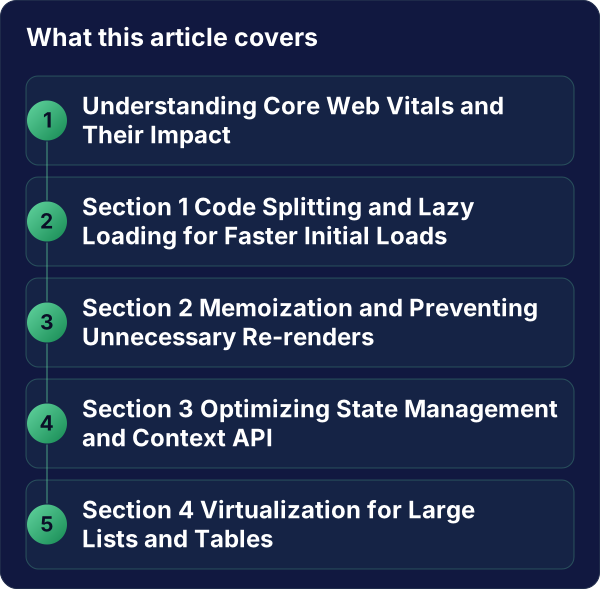
Section 1: Code Splitting and Lazy Loading for Faster Initial Loads
One of the most impactful strategies for React performance optimization is reducing the initial JavaScript payload. Large, monolithic JavaScript bundles can significantly delay the time it takes for your application to become interactive. Code splitting and lazy loading are key techniques to address this.
Code Splitting
Code splitting allows you to break down your JavaScript bundle into smaller chunks. These chunks can then be loaded on demand, rather than all at once when the application initially loads. React provides built-in support for code splitting through React.lazy and Suspense.
How it works:
React.lazy: This function lets you render a dynamically imported component as a regular component. The import statement must be a function that calls a dynamicimport().Suspense: This component lets you specify a loading indicator (fallback UI) while the lazy-loaded component is being fetched and rendered.
Example:
import React, { Suspense, lazy } from 'react';

const HeavyComponent = lazy(() => import('./HeavyComponent'));

function App() {
  return (
    <div>
      <h1>My App</h1>
      <Suspense fallback={<div>Loading...</div>}>
        <HeavyComponent />
      </Suspense>
    </div>
  );
}
Lazy Loading Images and Other Assets
Beyond code, lazy loading can also be applied to images and other non-critical assets. This ensures that only the content visible in the user’s viewport is loaded initially, significantly improving LCP and overall page load times.
Native Lazy Loading: Modern browsers support native lazy loading for images and iframes using the loading="lazy" attribute.
Example:
<img src="path/to/image.jpg" alt="Description" loading="lazy" />JavaScript-based Lazy Loading: For older browsers or more complex scenarios, you can use JavaScript libraries or implement your own logic using the Intersection Observer API.
By strategically splitting your code and lazy loading assets, you drastically reduce the initial download size and parsing time, leading to a faster LCP and a better user experience. This is a fundamental aspect of optimizing React performance.
Section 2: Memoization and Preventing Unnecessary Re-renders
React’s rendering process can sometimes lead to performance issues if components re-render more often than necessary. Memoization techniques help prevent these redundant re-renders, saving valuable CPU cycles.
React.memo
React.memo is a higher-order component that memoizes your functional component. It caches the rendered output of a component and skips re-rendering it if its props have not changed.
When to use:
- When your component renders the same output given the same props.
- When the component is computationally expensive to render.
- When the component is rendered many times with the same props.
Example:
import React from 'react';

function MyComponent({ data }) {
  console.log('Rendering MyComponent'); // This will only log if props change
  return <div>{data}</div>;
}

export default React.memo(MyComponent);
useMemo and useCallback
These hooks are essential for optimizing performance within functional components.
-
useMemo: Memoizes the result of a computation. It’s useful for expensive calculations that don’t need to be re-run on every render.Example:
import React, { useMemo } from 'react'; function ExpensiveCalculationComponent({ list }) { const processedList = useMemo(() => { // Perform an expensive operation on 'list' return list.map(item => item * 2); }, [list]); // Re-calculate only when 'list' changes return <div>{processedList.join(', ')}</div>; } -
useCallback: Memoizes a function. This is particularly useful when passing callback functions as props to child components that are memoized withReact.memo. WithoutuseCallback, a new function instance would be created on every parent render, causing the memoized child to re-render unnecessarily.Example:
import React, { useState, useCallback } from 'react';
import MemoizedButton from './MemoizedButton';

function ParentComponent() {
  const [count, setCount] = useState(0);

  const handleClick = useCallback(() => {
    setCount(prevCount => prevCount + 1);
  }, []); // Empty dependency array means the function is created once

  return (
    <div>
      <p>Count: {count}</p>
      <MemoizedButton onClick={handleClick}>Increment</MemoizedButton>
    </div>
  );
}
By effectively using React.memo, useMemo, and useCallback, you can significantly reduce unnecessary re-renders, leading to a more responsive UI and improved INP scores. This is a cornerstone of React performance optimization.
Section 3: Optimizing State Management and Context API
State management in React can become a performance bottleneck if not handled correctly. Large or frequently updated global states can trigger widespread re-renders across your application.
Minimize State Scope
Keep state as local as possible. Avoid lifting state higher than necessary. If a piece of state is only used by a few components, manage it within those components or their immediate parent.
Efficient Context API Usage
The React Context API is powerful for sharing data across the component tree without prop drilling. However, when the context value changes, all components consuming that context will re-render by default, even if they only care about a small part of the context data.
Strategies for optimizing Context:
- Split Contexts: If you have a large context object with unrelated data, consider splitting it into multiple smaller contexts. This way, a change in one context won’t affect components subscribed to another.
- Memoize Context Values: Ensure that the value provided to the context provider is stable. Use
useMemoto memoize complex objects or arrays passed as context values. - Component Granularity: Wrap consuming components with
React.memoor ensure they only subscribe to specific parts of the context if possible (e.g., using a custom hook that selects specific values).
Example of splitting context:
Instead of one large AppDataContext with user info, settings, and notifications, create UserInfoContext, SettingsContext, and NotificationsContext.
Libraries for Advanced State Management
For complex applications, consider dedicated state management libraries like Redux, Zustand, or Jotai. These libraries often offer built-in optimizations, such as selective subscriptions, which prevent unnecessary re-renders by allowing components to subscribe only to the parts of the state they need.
- Zustand: A small, fast, and scalable bearbones state-management solution. Its hook-based approach makes it intuitive and efficient.
- Jotai: A primitive, flexible, and scalable state management library based on atoms. It offers fine-grained subscriptions.
Choosing the right state management strategy and implementing it efficiently is vital for maintaining high performance and achieving excellent React performance optimization.
Section 4: Virtualization for Large Lists and Tables
Rendering long lists or large tables can be a significant performance drain. If you have hundreds or thousands of items, rendering all of them at once will lead to a massive DOM and slow down your application, impacting LCP and INP.
What is Virtualization?
Virtualization (also known as windowing) is a technique where only the items currently visible in the viewport are rendered. As the user scrolls, items that go out of view are removed from the DOM, and new items that scroll into view are rendered. This drastically reduces the number of DOM elements, leading to significant performance gains.
React Virtualization Libraries
Several excellent libraries can help you implement virtualization in your React applications:
react-window: A performant and lightweight library for rendering large lists and grids. It providesFixedSizeListandVariableSizeListcomponents.react-virtualized: A more comprehensive library offering a wider range of components, including lists, grids, tables, and more. It’s more feature-rich but also larger in size.
Example using react-window:
import React from 'react';
import { FixedSizeList as List } from 'react-window';

const Row = ({ index, style }) => (
  <div style={style}>
    Row {index}
  </div>
);

const LargeList = () => (
  <List
    height={300} // Height of the viewport
    itemCount={1000} // Total number of items
    itemSize={35} // Height of each item
    width={300} // Width of the viewport
  >
    {Row}
  </List>
);

export default LargeList;
By implementing virtualization for large datasets, you can dramatically improve the perceived performance of your application, making it feel much faster and more responsive, especially for users interacting with extensive data views. This is a crucial step in advanced React performance optimization.
Section 5: Optimizing for Web Workers and Server-Side Rendering (SSR)
Beyond client-side optimizations, leveraging Web Workers and Server-Side Rendering can further enhance your React application’s performance and user experience.
Web Workers for Offloading Heavy Tasks
Web Workers allow you to run JavaScript in a separate background thread, preventing computationally intensive tasks from blocking the main UI thread. This is ideal for tasks like complex data processing, image manipulation, or heavy calculations.
Benefits:
- Improved Responsiveness: Keeps the UI thread free, ensuring a smooth user experience and better INP.
- Faster Task Completion: Offloads work without impacting the user’s interaction with the page.
How to use: You can create a Worker instance in your React component and communicate with it using postMessage and onmessage events.
Server-Side Rendering (SSR) and Static Site Generation (SSG)
- Server-Side Rendering (SSR): With SSR, your React components are rendered into HTML on the server before being sent to the client. This significantly improves the initial load time and LCP, as users see content much faster. Frameworks like Next.js and Remix excel at SSR for React applications.
- Static Site Generation (SSG): SSG pre-renders your React pages into static HTML files at build time. This is the fastest option for content that doesn’t change frequently, offering excellent LCP and overall performance. Next.js also supports SSG.
Benefits of SSR/SSG:
- Faster Initial Load: Users see content almost immediately.
- Improved SEO: Search engines can easily crawl and index static or server-rendered content.
- Better Perceived Performance: Users have a positive first impression.
Implementing SSR or SSG, especially with frameworks like Next.js, is a powerful strategy for achieving top-tier React performance optimization and a superior Core Web Vitals score.
Checklist: Frontend Performance Optimization Steps
To systematically approach React performance optimization, consider this checklist:
- Audit Your Current Performance:
- Use tools like Google Lighthouse, WebPageTest, or browser developer tools to identify performance bottlenecks.
- Pay close attention to LCP, INP, and CLS scores.
- Bundle Size Reduction:
- Implement code splitting with
React.lazyandSuspense. - Analyze your bundle with tools like
webpack-bundle-analyzerto identify large dependencies. - Consider tree-shaking and optimizing import statements.
- Implement code splitting with
- Efficient Rendering:
- Utilize
React.memofor components that render the same output with the same props. - Employ
useMemofor expensive calculations. - Use
useCallbackfor functions passed as props to memoized children. - Minimize unnecessary state updates and lift state only as high as needed.
- Utilize
- Asset Optimization:
- Lazy load images and other non-critical assets using
loading="lazy"or Intersection Observer. - Optimize image formats (e.g., WebP) and compress them.
- Consider responsive images.
- Lazy load images and other non-critical assets using
- List and Table Performance:
- Implement virtualization for large lists and tables using libraries like
react-windoworreact-virtualized.
- Implement virtualization for large lists and tables using libraries like
- Network Performance:
- Leverage browser caching.
- Use a Content Delivery Network (CDN).
- Minimize HTTP requests.
- Advanced Techniques:
- Offload heavy computations to Web Workers.
- Implement Server-Side Rendering (SSR) or Static Site Generation (SSG) using frameworks like Next.js.
- Continuous Monitoring:
- Set up performance monitoring tools (e.g., Sentry, Datadog) to track CWV and identify regressions over time.
This comprehensive checklist provides a roadmap for achieving robust React performance optimization. For more in-depth strategies, consult our Web Performance Playbook.
Conclusion
In the fast-paced world of B2B software, a performant React application is not a luxury; it’s a necessity. By implementing strategic React performance optimization techniques, from code splitting and memoization to virtualization and SSR, you can significantly enhance your Core Web Vitals, leading to improved user engagement, higher conversion rates, and a stronger competitive advantage.
At Alken, we specialize in building high-performance B2B SaaS applications for startups and agencies. Our team of senior engineers understands the intricacies of optimizing React performance to deliver exceptional user experiences and drive business growth. We leverage data-driven approaches and the latest best practices to ensure your application is not only functional but also incredibly fast and responsive.
Ready to transform your application’s performance and unlock its full potential?
Contact us today at info@alken.dev to discuss your performance optimization needs.